
For the routines you keep repeating.
Less ‘Have you…?’
More ‘I did it.’
AllByMe gives your child a clear, visual routine to follow—designed to help them take the next step, while you spend less time repeating it.
Start with one routine. Adjust it as you go.
A digital routine board. Real life happens around it.

A little look. A next step.



Real Mission · School Bag Ready
Motion off · explore at your pace
A familiar morning
When every next step
comes from you.
“Teeth, please.”
“Is your bag ready?”
“What do I do now?”
Sound familiar?Give the routine
somewhere else to live.








A clear place to begin.
Motion off · explore at your pace
See it. Do it. Show it.
You prepare the routine.
They make it theirs.
A quick look at the board.
An ordinary achievement in the real world.
A way to say, “I’ve done that.”
Example routine
Motion off · explore at your pace
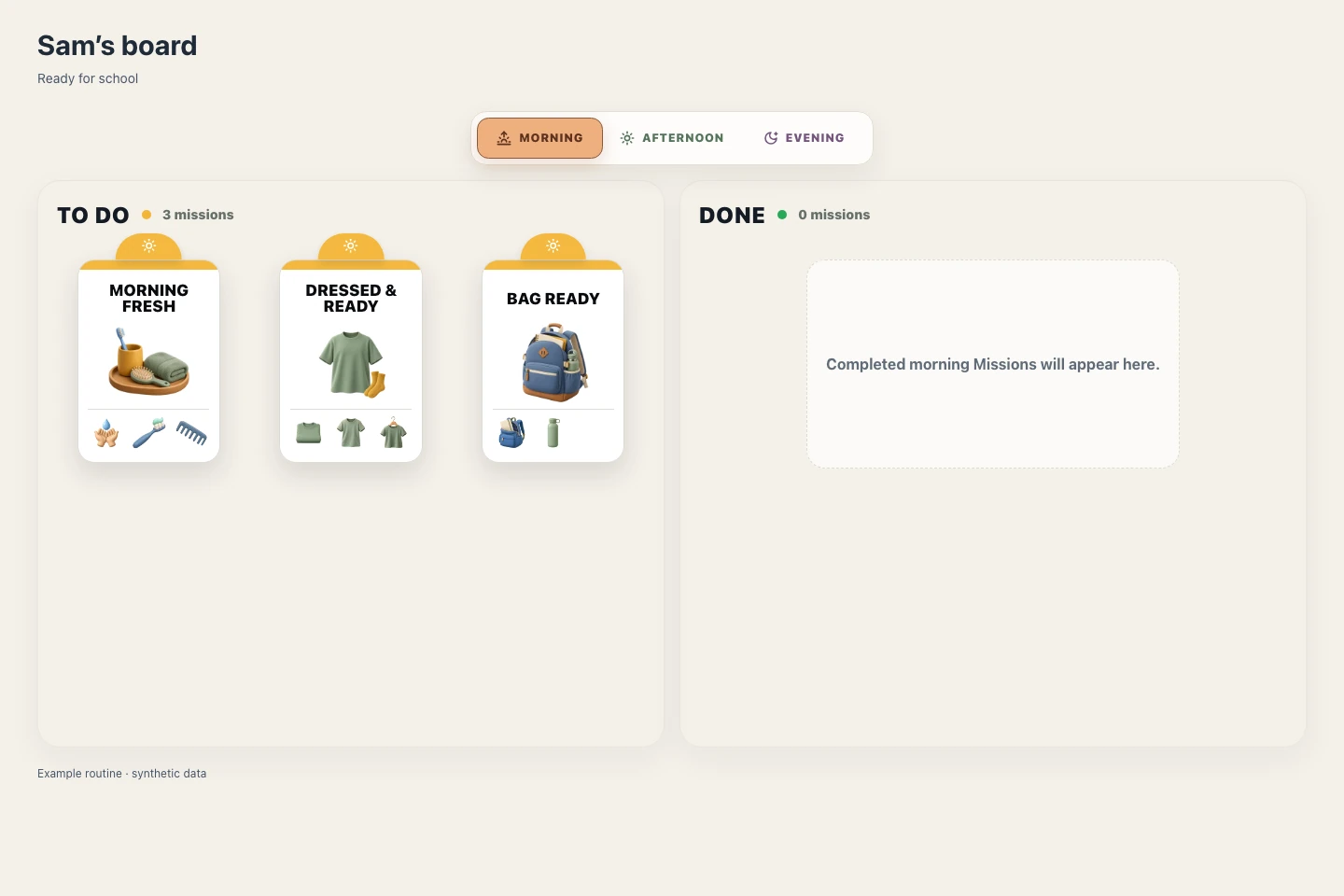

To Do
Done
School Bag Ready
Your turn: tap, click or press Enter on School Bag Ready.
A safe local example. Nothing is saved to a child’s board.
Your child recognises School Bag Ready on a familiar morning board. You can look at the guidance together.
This short example compresses time. Real activities take as long as your child needs.
Start your 9-day trial
One familiar routine is a good place to begin.
The care inside a Mission
Simple to look at.
Carefully thought through.
A recognisable Mission, a few useful cues
and a little guidance when it is needed.
School Bag Ready
Motion off · explore at your pace
They do the Mission, then show it is done.
Completion belongs to the whole Mission.
Life around the board
A clearer start. A calmer finish.
A little more helping.
Morning
The bag is ready. So are they.
The same things to remember, just as it is time to leave.
Give the school things a visible place in the routine, so the next step does not have to live in your head.
A real MissionSchool Bag ReadyI have what I need for school.

Bedtime
A small favour for tomorrow.
Tomorrow’s clothes still need choosing while today is winding down.
Keep a familiar evening step in view. Prepare together, with the amount of help your child needs.
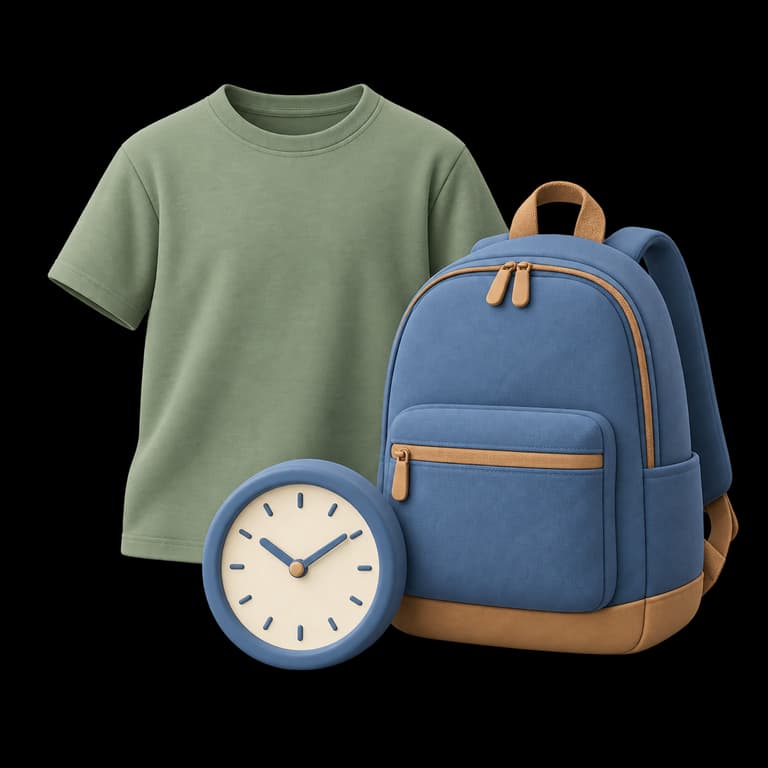
A real MissionTomorrow ReadyI make tomorrow easier by getting ready today.

Helping at home
A real part in family life.
They want to help. It is easier with a clear place to begin.
A manageable contribution, like setting the table, gives their effort a purpose everyone can see.




A real MissionTable TeamI can make a difference by helping at home.
Easy for the grown-up
Start with the part
of the day that
needs you most.
You know your child. Start with a familiar moment, choose a manageable routine and make the available Actions fit.
- 01
Choose your moment
Morning, bedtime or a familiar contribution.
- 02
Keep the useful cues
Review the Missions. Choose and order their allowed Actions.
- 03
Make room for change
Set when the routine repeats. Revisit it together as needs change.
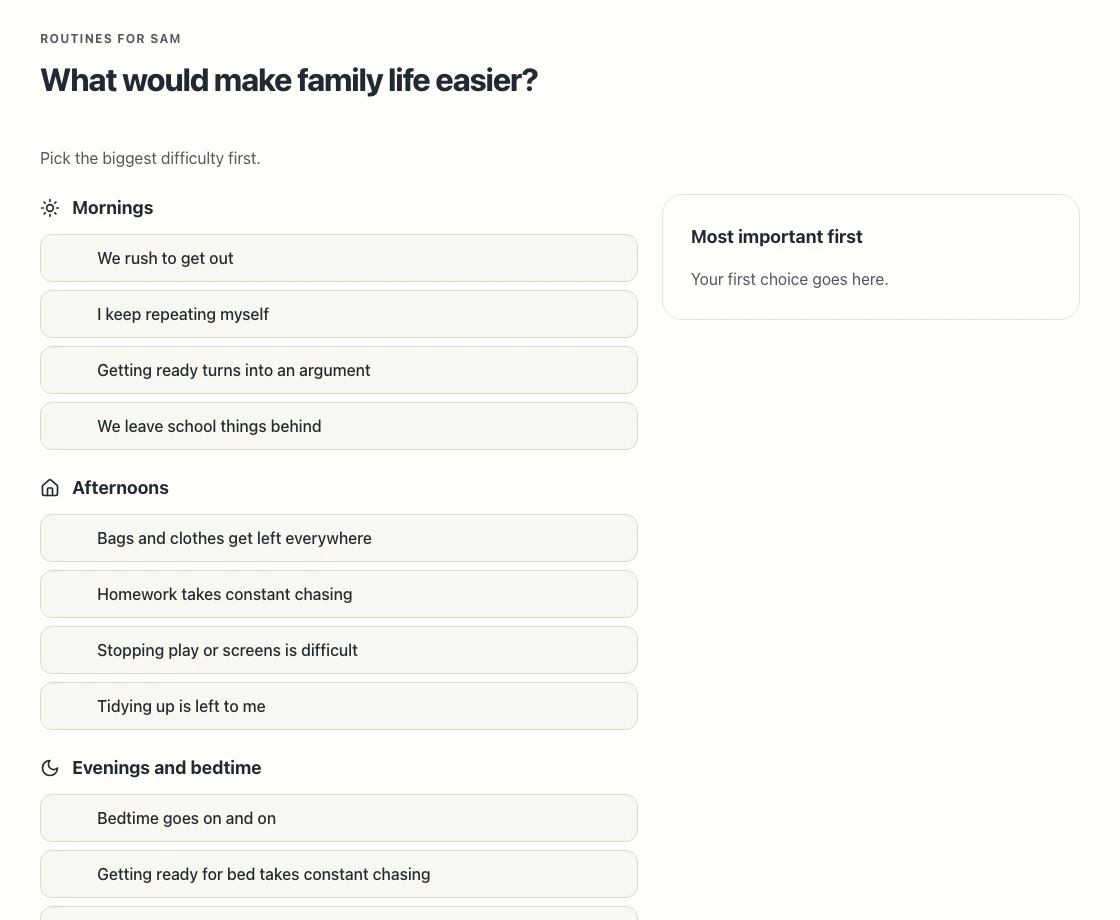
Choose what feels hardest and put it first. Your priorities lead to Routines you can review.
View the full-size screenRoom to grow
Built around
family life.
Adults offer the structure. Children have a part they can recognise and increasingly make their own. The point is what happens at home.
What we refused to build
Endless task lists
A manageable routine, with little steps kept inside the Mission.
Sibling rankings
Each child’s own board. Their own next step.
Another reason to stay on a screen
Look at the board, then get on with being in the world.
A clear commitment
Try it in your home.
See what helps.
Start with 9 days to explore a familiar routine. No card is needed to register.
One plan for your family
£4.89
First payment · then £6.99 every month
Launch offer · 30% off your first payment
30% off your first subscription payment. Then the regular price for your chosen plan.
Payment is taken only when you choose to subscribe.
A little structure. Room for your whole family.
- 9 days from registration to try a familiar routine
- 2 adult managers and up to 5 active children
- Separate child boards, repeating routines and available Action choices
- Cancel online through Manage membership
Subscriptions renew automatically at the regular price for your chosen interval. Cancel before renewal to keep access until the end of the paid period.
The launch offer has no scheduled end date. It applies to your family’s first subscription payment.
Sandbox · test payments only
Already have an account? Sign in ↗Use fictional profiles and Paddle test cards. This Preview cannot take a real payment.
A few good questions
Before you
bring it home.
What is AllByMe? Is a tablet or board included?
AllByMe is a digital visual routine system. You prepare a routine; your child recognises a Mission, does the activity in real life, then marks the whole Mission done. It runs in a web browser. No tablet, physical board or other hardware is included.
What if my child is still learning to read?
Pictures, category symbols and a familiar layout give children more than words to work with. Introduce the Missions together and help your child understand what each one means in your home. Children need different levels of support; the pictures are a starting point, not a promise that every child can use it independently.
How do I start? Will I need to manage it every day?
Create a Family and a child profile, then start a routine around a familiar part of the day. Choose suitable Missions and when they repeat. You can return to the routine to adjust it as your family’s needs change. A repeating routine does not need to be rebuilt each day.
Can I change the little steps, including on a difficult day?
You can choose from a Mission’s available Actions, remove or reorder allowed cues, and review the card before saving. Its Mission identity and goal stay together. Routine edits and the Day plan have their own timing rules: check the effective date shown before saving. It is always fine to help your child in real life.
Does my child need their own device?
No. An adult can set up a shared Family device and choose the child’s board. AllByMe is a browser-based web app for phone, tablet and computer layouts, not a separate native app. A tablet can offer more room to see the board. The precise tested browser matrix is part of this preview’s verification, not a guarantee for every device.
How does it get children away from the screen?
The board shows what comes next. The Mission happens in the room around it: getting dressed, packing a bag or helping at the table. Your child returns to show that the Mission is done. Completion is their declaration, not surveillance or a check that the activity happened.
Can I use it with more than one child?
The app supports separate child profiles and boards in a Family. One subscription includes up to 2 adult managers and 5 active child profiles. Each child has their own routine and board.
What happens during and after the 9-day trial?
The trial is designed to give you 9 days from account registration. You do not enter payment details to register. At the end, routine activity pauses unless you choose a subscription; your account and history remain available. Payment is taken when you subscribe, even if you choose to do so before the trial ends. 30% off your first subscription payment. Then the regular price for your chosen plan. See the pricing section for the current Preview availability.
How do I cancel, and when does access end?
The household owner can open Manage membership from Family settings to cancel online through Paddle. A scheduled cancellation stops the next renewal and keeps access until the paid period ends. Your account and history remain available. You do not need to cancel a registration trial: it has no automatic charge.
Where can I read about privacy or get help?
The Preview information page explains the demonstration, subscription journey and current privacy and terms status. Account holders can use Report an issue in AllByMe for help or accessibility feedback. Approved public legal policies and a public contact destination are required before launch.

The next step can be theirs
What would you like
to repeat
a little less?
Start with one familiar routine.
Give your child a clearer next step.
No automatic charge at the end of your trial.